

Streamlining My Product Development Workflow with QuivaWorks + GitHub Issues
The Challenge: Speed vs. Process
I've always found it a challenge to balance fast, high quality software delivery with necessary business process. Adding detailed spec to issues was always such an overhead, and felt completely unnecessary when I could spend a couple of minutes talking with my team and verbally agreeing something together that they would then take and run with. But obviously we needed to track progress, get the team on the same page for delivery, and maintain proper records.
Doing this properly always took me a huge amount of time, so I made some adaptations to my personal workflow and the way I worked with the team to be able to get delivery as fast as possible. But this accumulated overhead throughout the lifecycle that was pushed to the end of the process and ended up costing me days of work every time we had a release to make sure everything on the process side was done.
Our Pre-QuivaWorks Hacks
We adapted our processes over a number of years, doing things like Kanban delivery meant we could remove a lot of overhead from processes like sprint planning, backlog grooming etc. And because we are a small team, we were able to focus on the things that mattered without needing really detailed tracking. Our typical workflow was:
- When a new issue needed work, the first thing we would do before raising an issue would be sending a Slack message to the people who might be working on it.
- If it needed clarification, we would get people on a call to talk through the detail. If it was clear from the initial message there would be no follow up.
- It was the developers' responsibility to create an issue on the board to track the item—but a lot of the time the overhead of creating that ticket with a decent description actually outweighed the time it would take to just make the change and open a PR.
- After the PR was raised, it would get tested and merged. Then when we created a release, I would go through a manual process to make sure each change had a ticket associated with it, with a description that was good enough to understand what the issue was.
The manual work created at the end of this process to ensure everything was tracked was days worth of reviewing, updating, and creating notes. No doubt we missed and forgot things along the way which would come back around if they were important enough.
Enter the QuivaWorks GitHub Issues Manager
This all changed when I decided to create a QuivaWorks Assistant to remove this manual work from the process. I love using QuivaWorks for use cases like this because it is so simple to specify the behaviour of my Assistant—whether I am using the AI Assistant Builder, or just writing in the instructions. The QuivaWorks Assistant framework also means that the AI stays on track way more than using other AI (seriously, you need to experience it yourself!), and connections to integrations are just so simple.
How It Works
The assistant follows a structured workflow designed to handle the entire issue lifecycle with minimal friction:
Issue Creation & Duplicate Detection: The first thing it does is search for existing issues using keywords from your request. If it finds a duplicate or related issue, it returns the ticket number and title so you can comment on the existing issue instead. If no duplicates exist, it moves forward.
Intelligent Clarification: If you've provided enough detail, it creates the issue immediately with a properly formatted description. If it needs more information—reproduction steps, environment details, expected vs. actual behavior—it asks you for those details before creating anything. No more half-baked tickets.
Assignee Selection & Creation: Once it has what it needs, it asks you to confirm an assignee from your team, then creates the issue with all the structure built in. The instructions handle everything from bug reports to feature requests, ensuring consistency across your entire backlog.
QA Feedback Handling: When QA finds an issue or has feedback, instead of creating new tickets or losing context in Slack, the assistant creates a structured comment on the original ticket linking it back to the work. This keeps everything connected and maintains the full history.
Real-World Examples
Now all we have to do to create a ticket is open up our GitHub Issues Manager Assistant and type something like:
"The safari password manager isn't working with our login screen. The Account Name field is being completed and not the email field, assign this to XX"
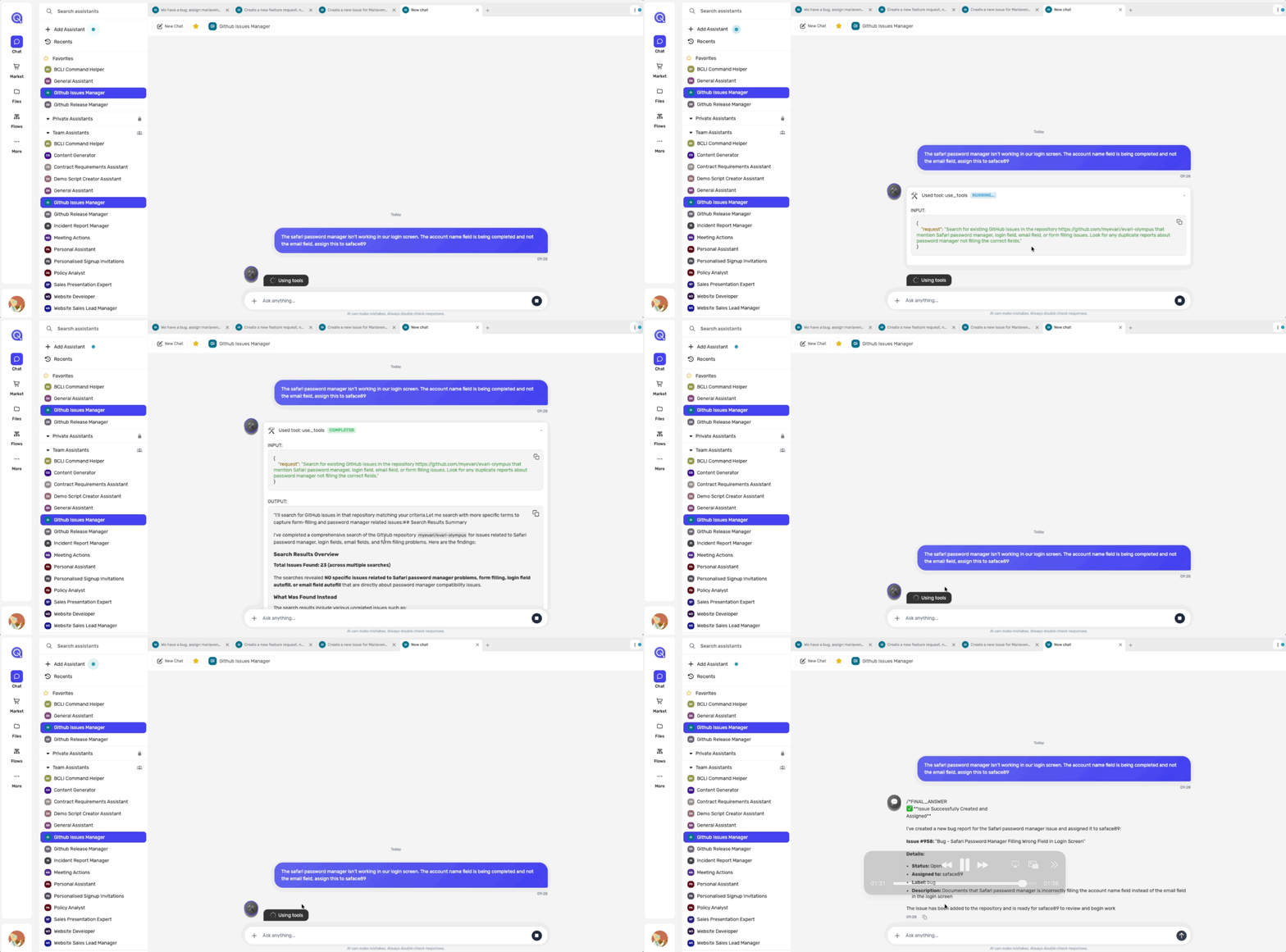
In most cases, that's all we need to do. The assistant searches for duplicates, finds none, has enough detail, and creates the ticket.
For features, it works just as smoothly:
"Extend the file preview for visualization of outputs like HTML/JS, Mermaid Flows, and SVG"
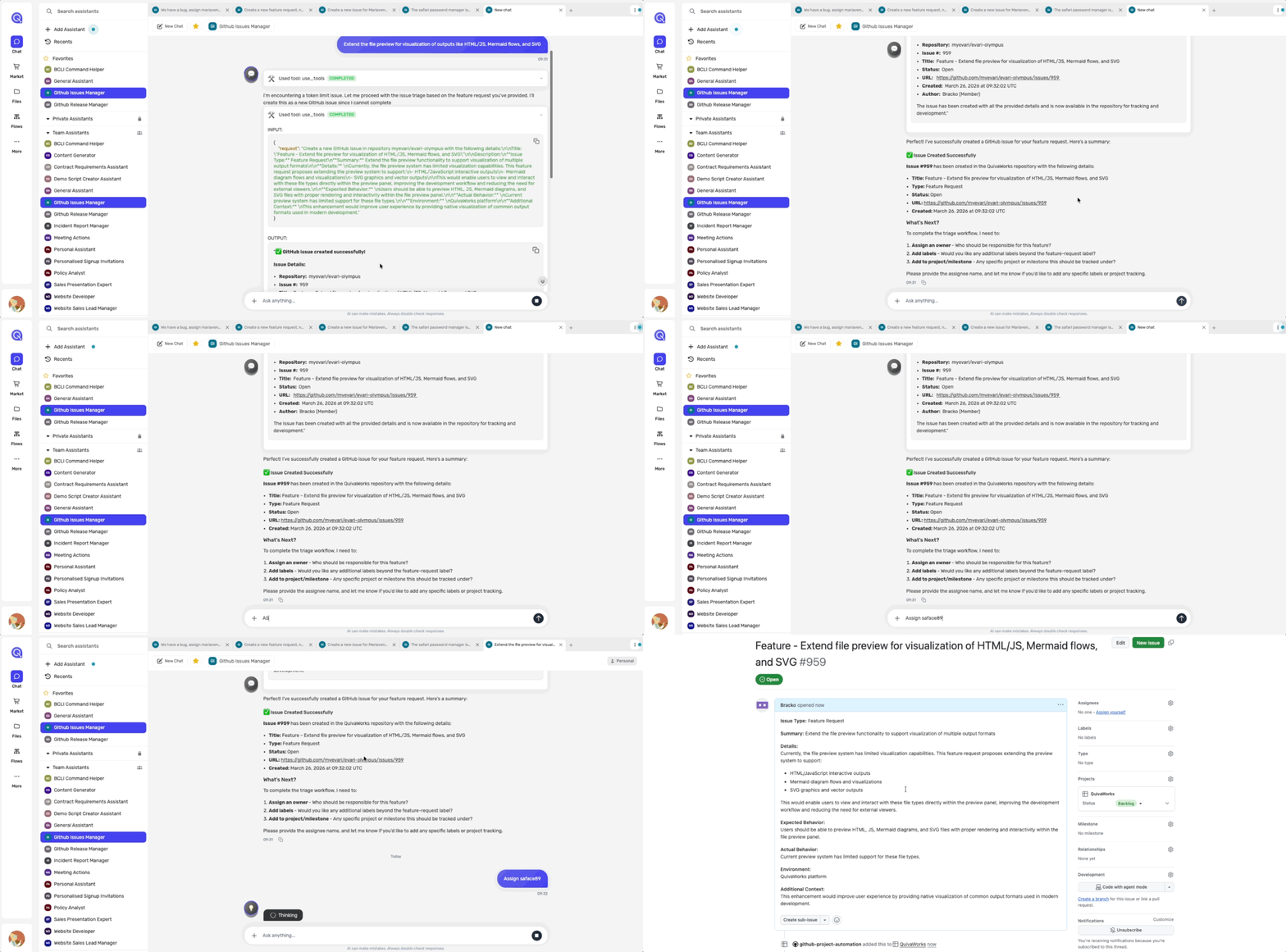
Same process—it searches, clarifies if needed, and creates a properly structured feature request.
And here's the bonus: if you want to add a change to an existing issue, you can just mention it to the assistant and it can search for the issue for you, confirm what it found, and make the update. QA feedback, scope changes, anything—handled the same way.
The Kanban View
We also set up our GitHub Project as a simple Kanban board to visualize everything. Because issues are now being created with proper structure and detail (no more half-finished tickets), the board becomes a genuine communication tool. In standups, we're not scrambling to understand what a ticket is about—it's all there. When we're prioritizing, we can make better decisions because we actually have the context. And async across the team, everyone knows what's in progress, what's blocked, and what's up next.
The Results
With the assistant's help, I save about 15 minutes per ticket that I create. Similar time savings on QA feedback handling. And now the releases are basically ready to go (with the help of another assistant, which I'll cover in part 2!), saving me what could be up to a day a week.
But the real win isn't the time saved—it's what changed about how the team works. We're not losing context in Slack anymore. We're not creating throwaway tickets that nobody understands. The board is actually useful. And everything is documented without feeling like a burden.
What's Next
What started as a hunt for a way to reduce manual overhead turned into something bigger. We didn't just save time—we actually solved the original problem that got us started in the first place. We can now move fast without sacrificing the business side of things. The team gets to focus on building, I get to spend less time on admin, and everything is documented and tracked without feeling like a burden.
The thing I'm most proud of is that it happened gradually. We didn't overhaul our entire process overnight. We just took the friction points—the ones that were costing us the most time—and let an AI Assistant handle them. The issue manager handles the boring bits: searching for duplicates, asking clarifying questions, making sure we've got enough detail. All the stuff that was eating up my time at the end of every release cycle is now happening in seconds.
And that brings me to the releases themselves. Because we now have properly tracked issues with clear descriptions linked to every PR, the manual work I used to do to prepare release notes has gone from a full day of grind to basically nothing. But that's a whole story of its own, which I'll be covering in part 2 when I walk you through how we automated the release notes process with another QuivaWorks Assistant.
If this sounds like something your team could benefit from, the GitHub Issues Manager is available now in the QuivaWorks marketplace. Honestly, give it a try—see if it cuts down your overhead the way it did for us. And if you do, I'd love to hear how it goes.
Do you want to create your own assistant using the Github Issues MCP Server? Add it to your account in the marketplace